Outlook to vCard Converter Tool to Convert Outlook to vCard Free!
vCard Magic is a powerful Microsoft Outlook to vCard converter tool to export Outlook contacts to vCard or VCF files. It is very easy to read & save Outlook contacts in VCF format. Microsoft Outlook to vCard converter software allow users to export multiple Outlook contacts to vCard files and also import multiple VCF files into MS Outlook contacts at a time.
Perform the Conversion of Outlook Contact Files:
vCard to Outlook Conveter: which is an effortless vCard converter has more powerful features and fast conversion techniques. PST to VCF converter software can export Outlook contacts to vCard files without altering any contact details. Outlook to vCard converter software has following useful features.
- Exports multiple contacts from MS Outlook to vCard files at a time
- Also imports multiple VCF files into Outlook contacts at a time
- Converts all contacts with all contact fields
- vCard converter software can export every contacts into separate vCard files
- vCard converter works with MS Outlook, 2000, 2003, 2007 and Outlook 2010
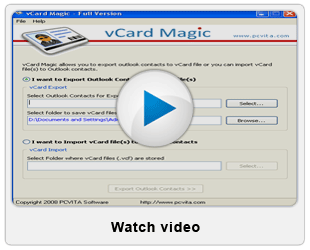
You can convert Outlook to vCard free by using free Outlook to vCard converter software. This Microsoft Outlook to vCard converter software free as Demo Version that will export or import Outlook contacts to vCard files SAVE only 5 contacts.


How to use Outlook to vCard Converter Software?
Outlook to vCard converter software is very easy-to-use software that uses only 3 steps to perform Outlook to vCard conversion process. Microsoft Outlook to vCard converter software has self-instructed GUI that made it one of the best Outlook to vCard converter software. The steps of Outlook to vCard conversion process are as follows:
- Open vCard Magic software
- Choose vCard Export option and select Outlook contacts folder
- Browse saving location and click Export Outlook Contacts button
For step by step guidelines of Outlook contacts to vCard conversion process, visit 'How it Works page'. Converted vCard files can later be used with a wide variety of digital devices (PDA, iPhone, iPod, Mobile Phones, Palm) and operating systems and often used to be imported in Lotus Notes, Mac AddressBook, Entourage, iPod, iPhone, iTunes.

To export all Outlook contacts to vCard files and import VCF files into Outlook contacts, purchase Full Version of this Outlook to vCard converter software.