Convert VCF To Windows Contacts In MS Outlook And Vice Versa!
The contacts conversion from vCard to MS Outlook and from MS Outlook to vCard is sure possible with one and only software named vCard Magic. This unique utility came all the way from laboratory and mind of intelligent software developers.
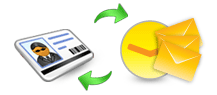
The high advanced features of the application convert the most important component say ‘contacts’ which is the requirement for home users and business runners. Convert VCF to Windows contacts Outlook is quite a simple process with minimum technological skills.
Numerous Lineaments of the Software:
- Software converts unlimited Outlook contacts to .vcf file format easily
- Software is convenient to work with most MS Outlook versions such as 2010 32Bit, 2007, 2003, 2002, 2000, 98, 97
- Software has easy and understandable Graphical User Interface apt for skilled and neophytes
- Dual benefits - convert VCF to Windows contacts Outlook and Outlook to VCF
- Contacts data remain same and there is no single data damage while executing process to convert VCF to Windows contacts and vice versa
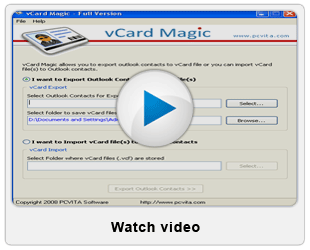
For Checking this utility to estimate its efficiency is a free facility. FREE Demo Version of vCard Magic software which can be got just by clicking the download link. Using this evaluation version of this tool, you can convert 5 VCF contacts to Windows contacts.


vCard Supportive All Over:
In various circumstances, users feel the need to move contacts from VCF file format to PST file format and vice versa. It is seen that when Outlook user have need to distribute contacts stored in MS Outlook in different email platforms (Lotus Notes, Outlook Express, Entourage, etc), some of the prominent mobile devices (Blackberry etc), iPod, iPhone, iTunes, etc. Software saves all Outlook contacts in .vcf file format, which is standard format understandable by many applications.
- Suppose you are moving to some long distance place and carrying your Blackberry mobile device and you want your contacts from Outlook ASAP. If you convert your entire Outlook contacts list to .vcf file format, you can transfer your contacts information easily to vCard
- Regarding business purpose if you want your contact details from MS Outlook to Lotus Notes, then solution is that if you convert all your Outlook contacts into VCF and from VCF to Lotus Notes

For complete conversion of all contacts, you can buy our software at only $49. With Full Version of this tool, you enjoy unrestricted contacts conversion to convert ANY NUMBER of VCF contacts to Windows contacts.