Split Outlook PST File! Trim Down Bulk PST
Oversized PST causing dilemma? Overcome the bulky, corrupted & outsized Outlook PST, try the renowned product Microsoft Outlook PST splitter Split Magic & trim down the huge PST into multiple managed Outlook PST sections.

Acquire this Fascinating Split PST Software

Effortless & Interactive GUI
Few steps tearing steps are required to truncate the oversized Outlook PST file into tiny fragments via Split Magic.
No more Multiple Versions Snag
Various versions of windows operating system like windows 7, XP, Vista, 2003, 2008 & Microsoft Outlook 2010, 2007, 2003 & 2002 are excellently supported
Perfect Aid for All Mailbox Items
All mail box items: inbox; outbox; drafts; sent items; deleted items are divided intelligently into specific parts by this Outlook PST splitter.
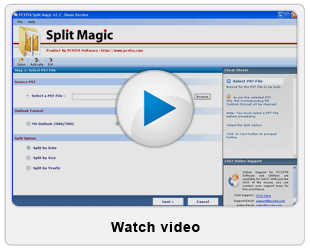
Complimentary Utility: Get the free demo version and split first 50 emails for a later guaranteed purchase. Test the high performance of the Outlook PST Splitter Tool and experience the real functionality of the renowned Software Split Magic to split large PST file.


Mesmerizing Features of Outlook PST Splitter Software

Split PST by Year - Year Range Enlarged!
Split Outlook PST file by extended year range more than 25 years for separating down each PST yearly. Split PST software supports year splitting form 1990 to 2015, including present year 2012 PST break down for controlled year-wise management.
Split PST by Date - Date Specific Ripping!
Freely choose a specific date from where you want to crack or split Outlook PST file into Before PST & After PST file, a calendar function is also availed for simplification. Pronounced control on outsized/big PST for agile arrangement.
Split PST by Size – Elect Acc to Split Size!
Randomly select the split size ranging from 256 MB to 4 GB & divide the heavy (more than 20 GB) Outlook PST into various sizes. It also increment in data size as per split section, new Outlook split PST file up brings full size Outlook PST.
Split Everything in Outlook PST! 
Regarding everything in Outlook PST file like emails, calendar, distribution lists, journals, contacts, tasks, appointments, address book & data file. Also split oversized archive file, backup files & personal folder by Outlook PST splitter tool.
Desired Output Format – ANSI /Unicode!
Get the PST output according to Outlook version; ANSI output for Outlook 1997/2002 & Unicode 2003/2007/2010 by default automatically. Option to manually choose desired Unicode/ ANSI output format by Split PST Software.
INFO Preview – Take a Glimpse!
Before splitting outlook PST file get a detailed preview availed by Outlook PST splitter tool. Outlook PST name, type, size & PST destination folder, Split PST option with Difference & comparison sheet for a sure large PST file split.
Comparison/Difference Sheet for Self Pledge!
To view the successful Outlook PST file split a Comparison CSV Sheet is availed by Outlook splitter tool. Any corrupted/complicated/outsized PST file is viewed in difference sheet after Outlook PST file split process is over & results are shown.





Highly efficient technical support is available to split Outlook PST file, now dealt all problems
Purchase cost effective & best PST splitting tool at nominal price of $49 to get better ROI & complete PST splitting. Don't hesitate to make good investment for great product Split Magic enabled with 24 hr support.